A Pecunia Group product
Time & effort reporting,
without the spreadsheet grind.
Organizations that receive federal funds must keep a record of their time and effort — one that reflects how those funds are allocated across each grant. FTE Tracker centralizes the data collection needed to produce effective time-and-effort reports.
The product
See exactly where every funded hour goes
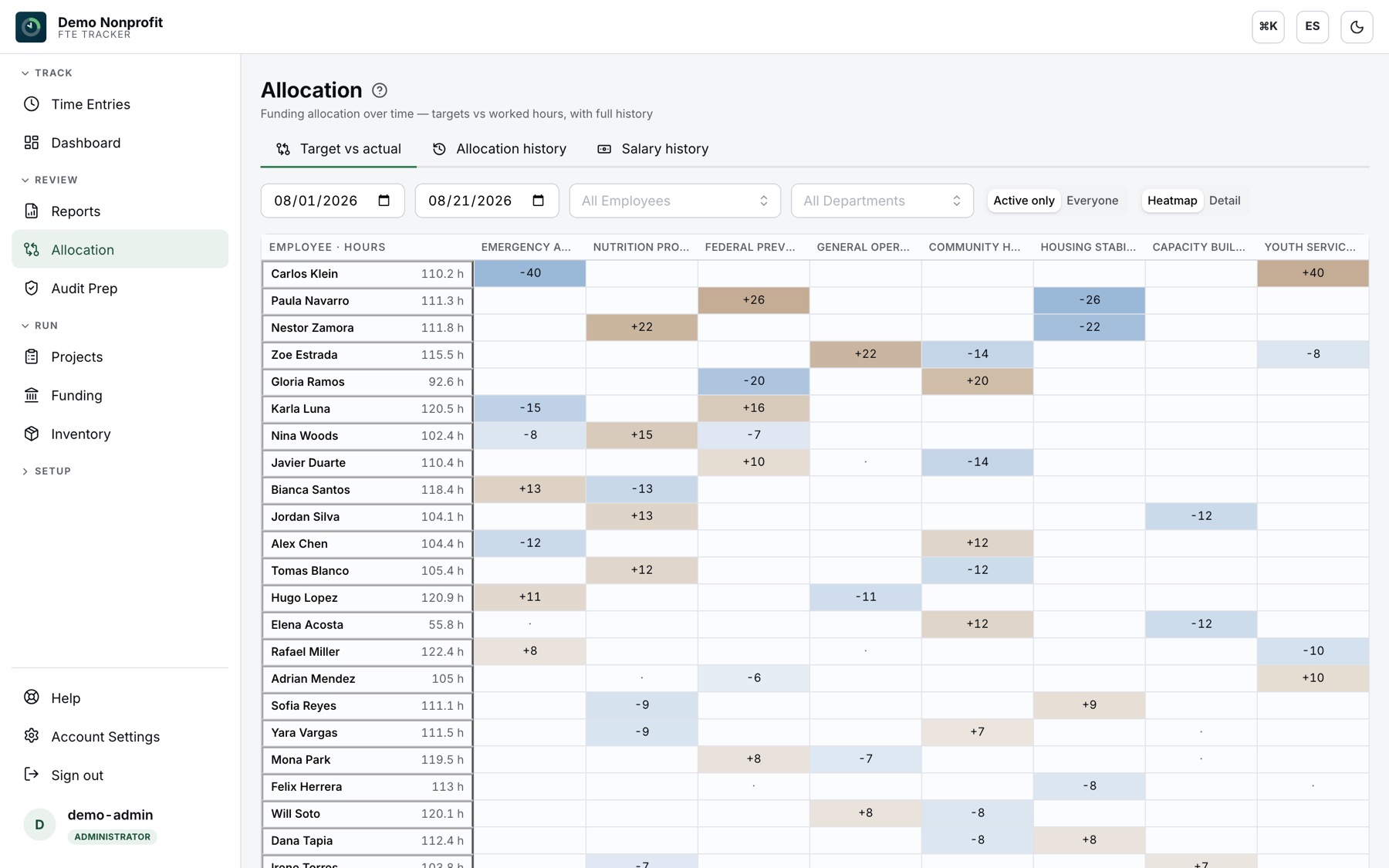
Target vs. actual, per person, per fund
The allocation heatmap shows every employee against every fund — where hours drifted above target, where they fell short — over any date range, with a full history of allocation and salary changes behind it.
Every award priced from real hours
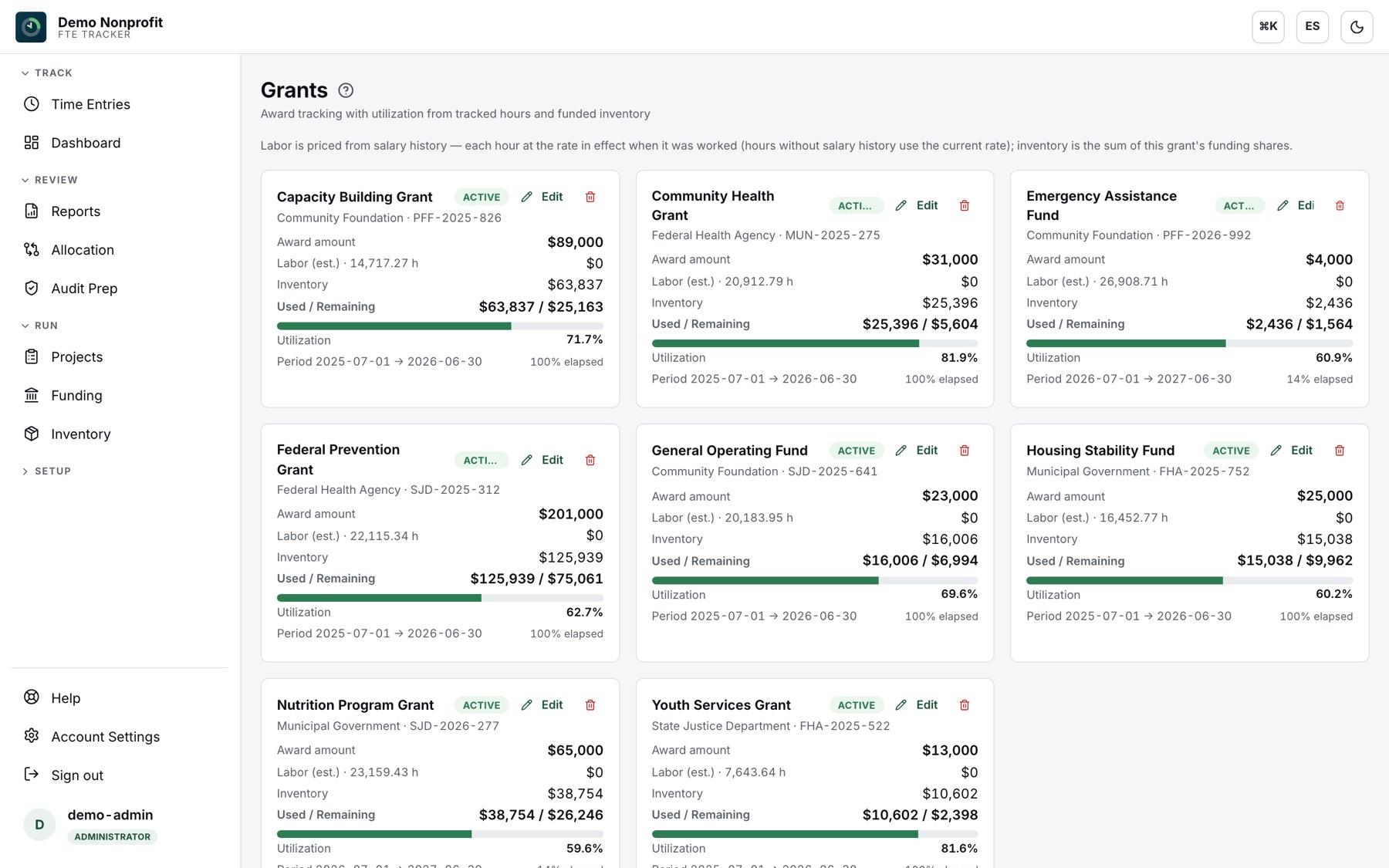
Grants track award amount against labor priced from salary history — each hour at the rate in effect when it was worked — plus each grant’s share of funded inventory. Utilization and period elapsed, side by side.
Time entry your staff will actually do
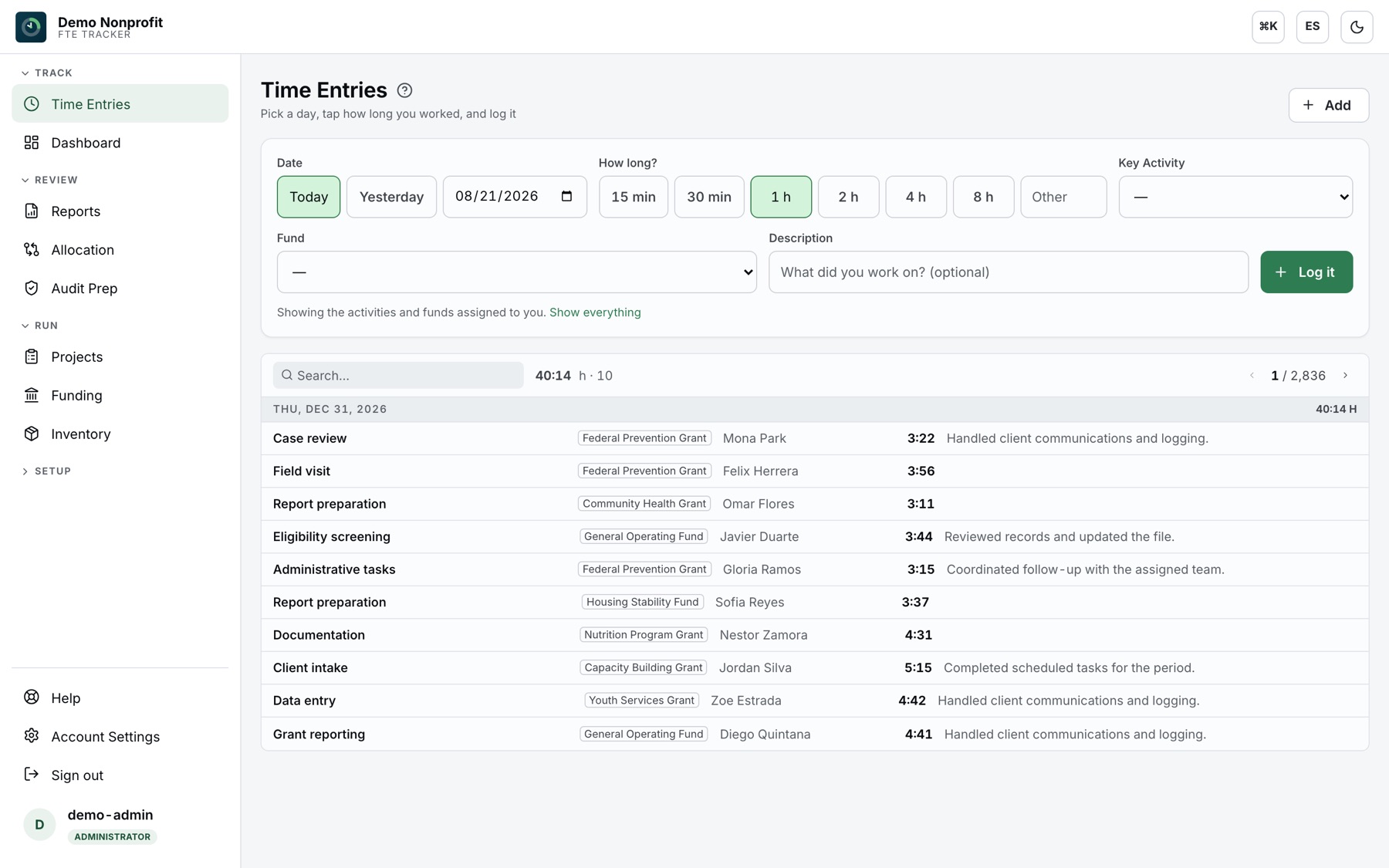
Simple mode is a date and a one-tap duration — no timers to babysit. Detailed mode adds start and end times. Presets, per-user activity lists, daily and weekly hour caps, and a backdating window your admins control.
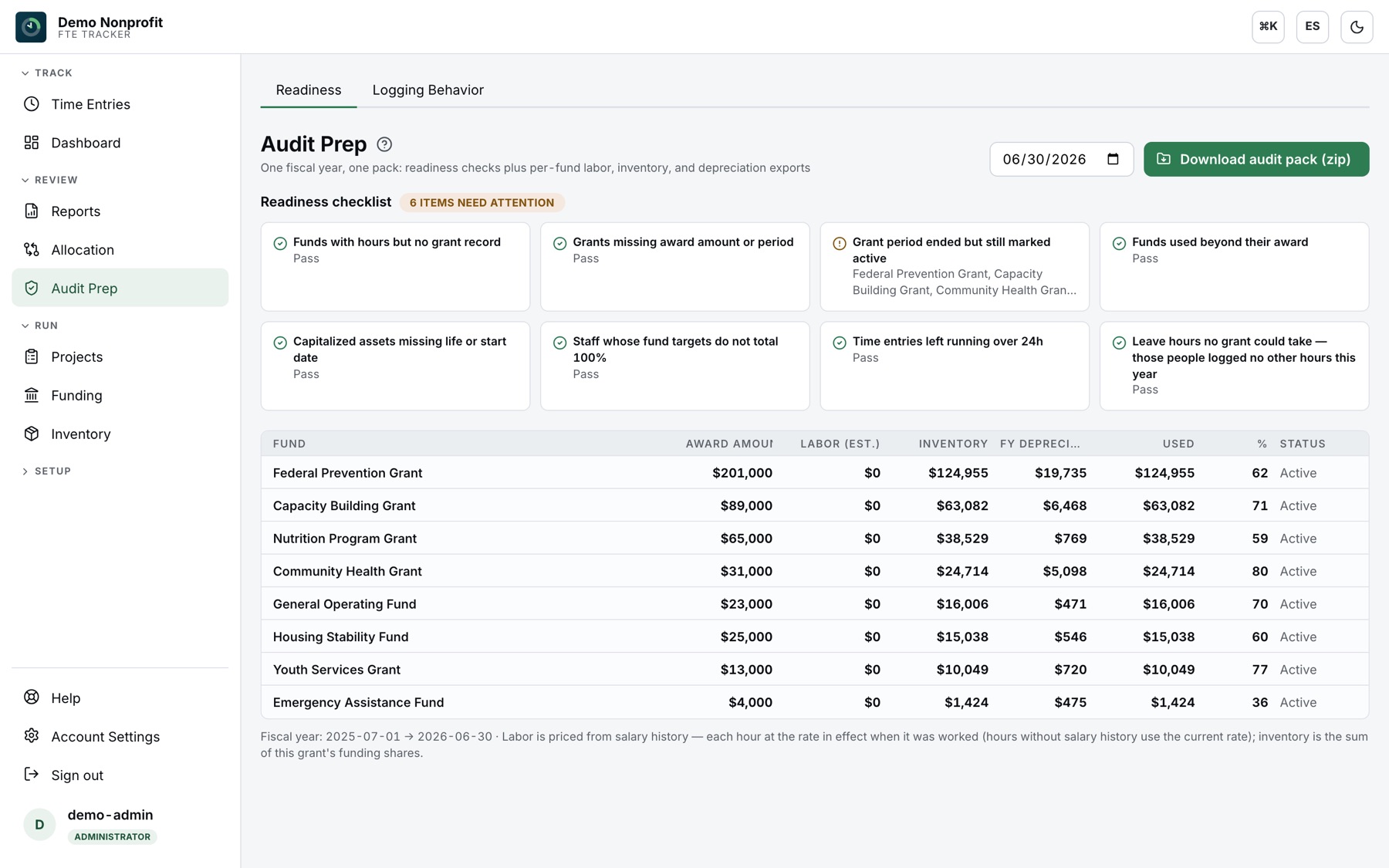
Walk into the audit already prepared
Fiscal-year readiness checks flag missing targets, unallocated leave and gaps before your auditor does — then the whole year exports as a zipped audit pack.
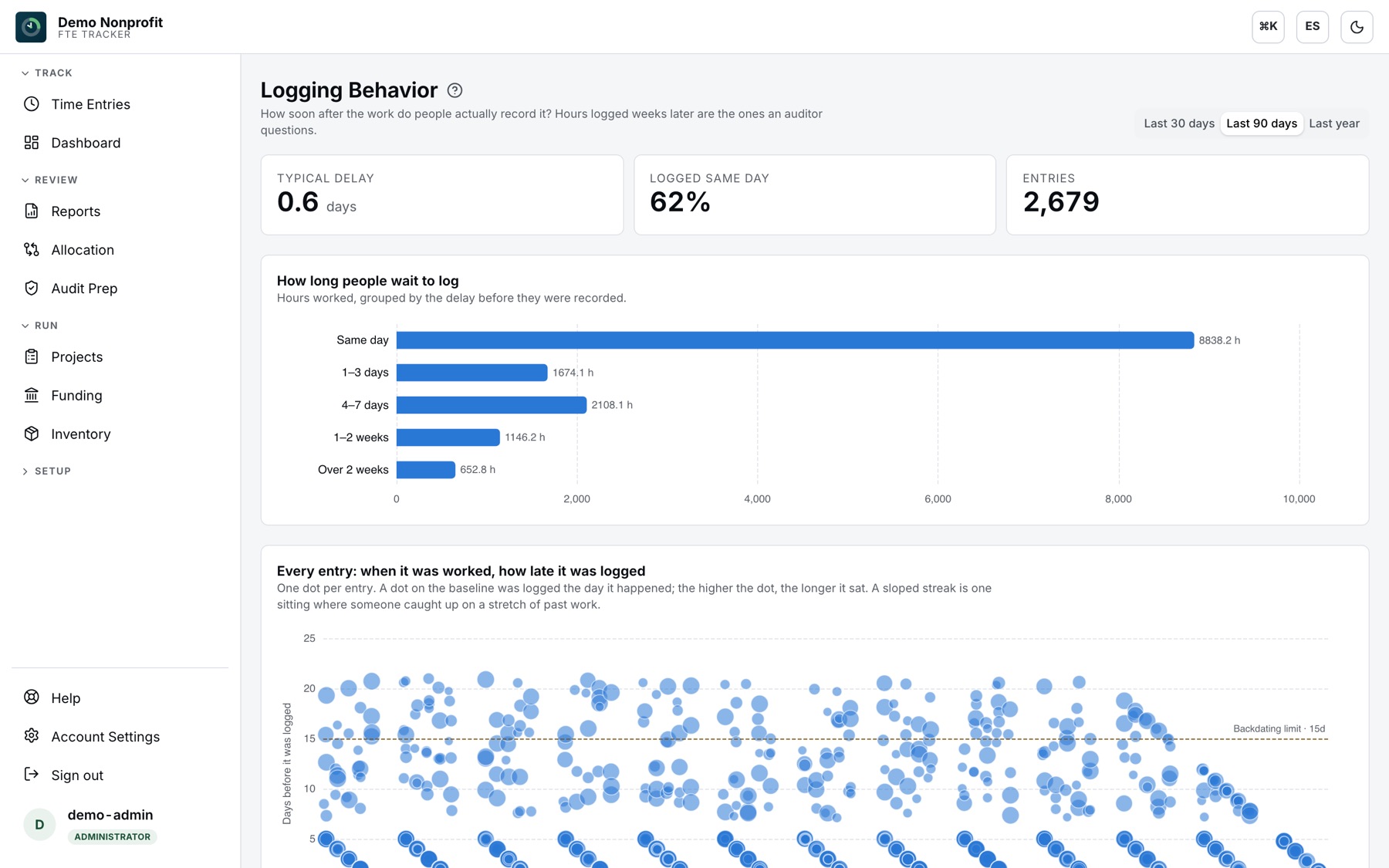
Know when hours were really logged
Logging Behavior shows how long people wait to record their work — same-day rate, delay distribution, and a per-entry scatter that makes catch-up sittings obvious. The hours logged weeks late are the ones an auditor questions.
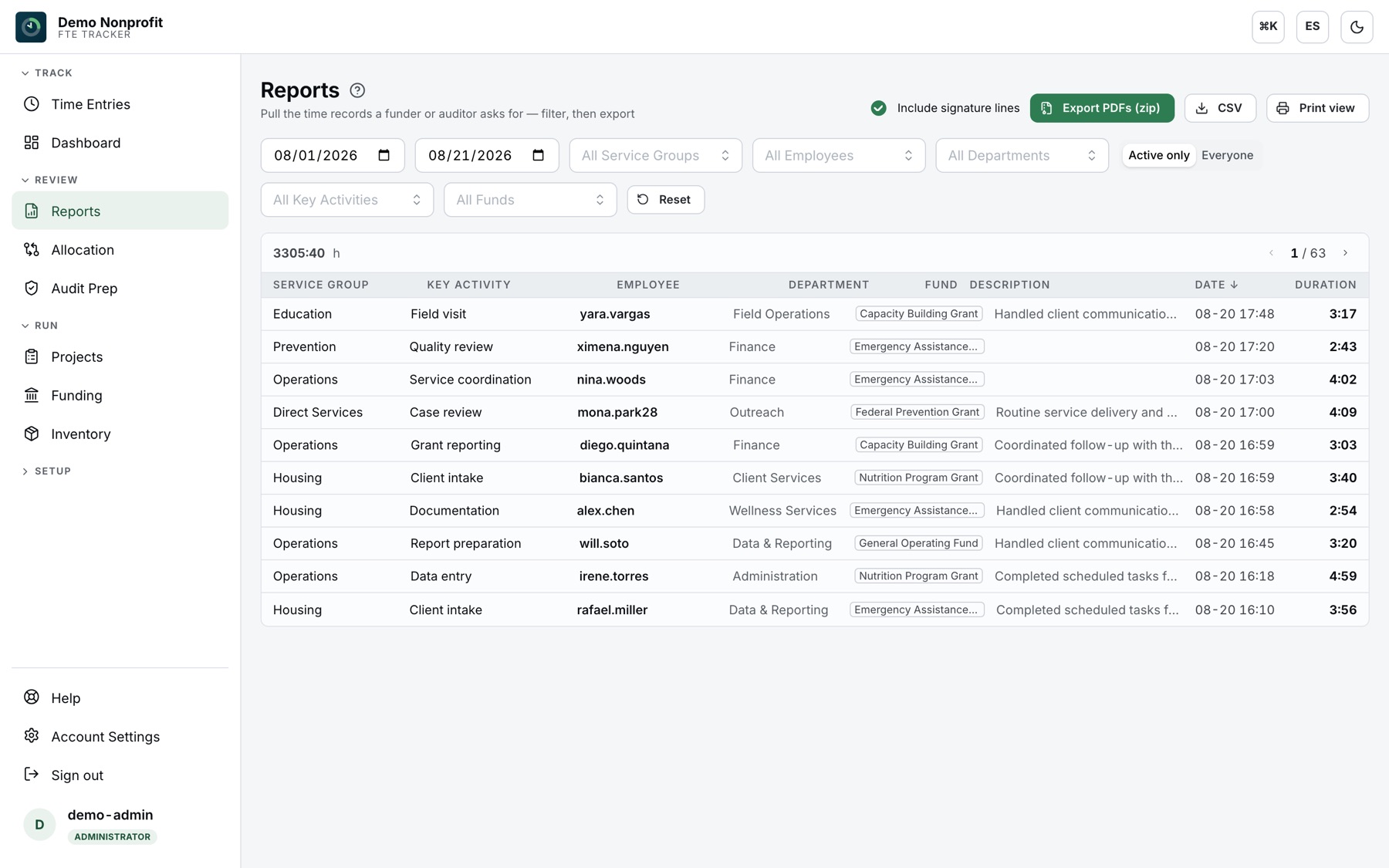
Reports your fiscal office can send as-is
Filtered reports with totals, CSV for payroll, print views, and one-click mass PDF export — one PDF per employee, zipped.
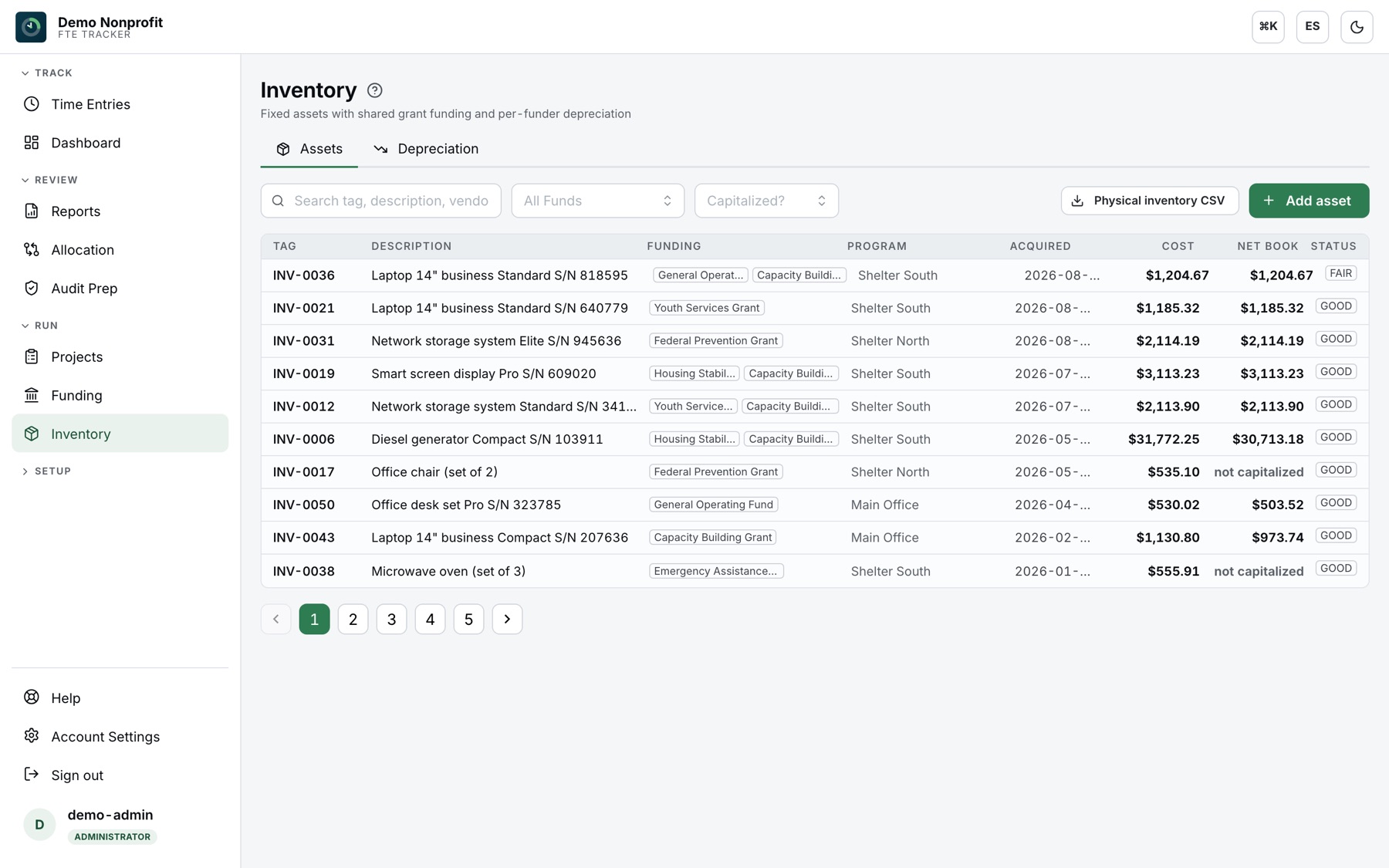
Grant-funded assets, depreciated per funder
Fixed assets split across several grants at once, with straight-line depreciation tracked separately for each funder.

Why it exists
From compliance chore to cost-effective investment
Situation
Federally funded organizations must keep a time-and-effort record that reflects how funds are allocated across each grant.
Solution
A low-cost subscription service that centralizes the data collection needed to produce effective time-and-effort reports.
Benefit
Centralized data entry turns the compliance chore into the collection and analysis you need to report on federal funds — in one place.
Data
Every working hour is tied to what you offer, surfacing process improvements that help evaluate how services are delivered.
What's inside
Everything a fiscal team needs on one screen
Effortless time entry
Employees log an FTE entry in a few steps — manual entry or a live running timer, with per-user defaults.
Interactive dashboard
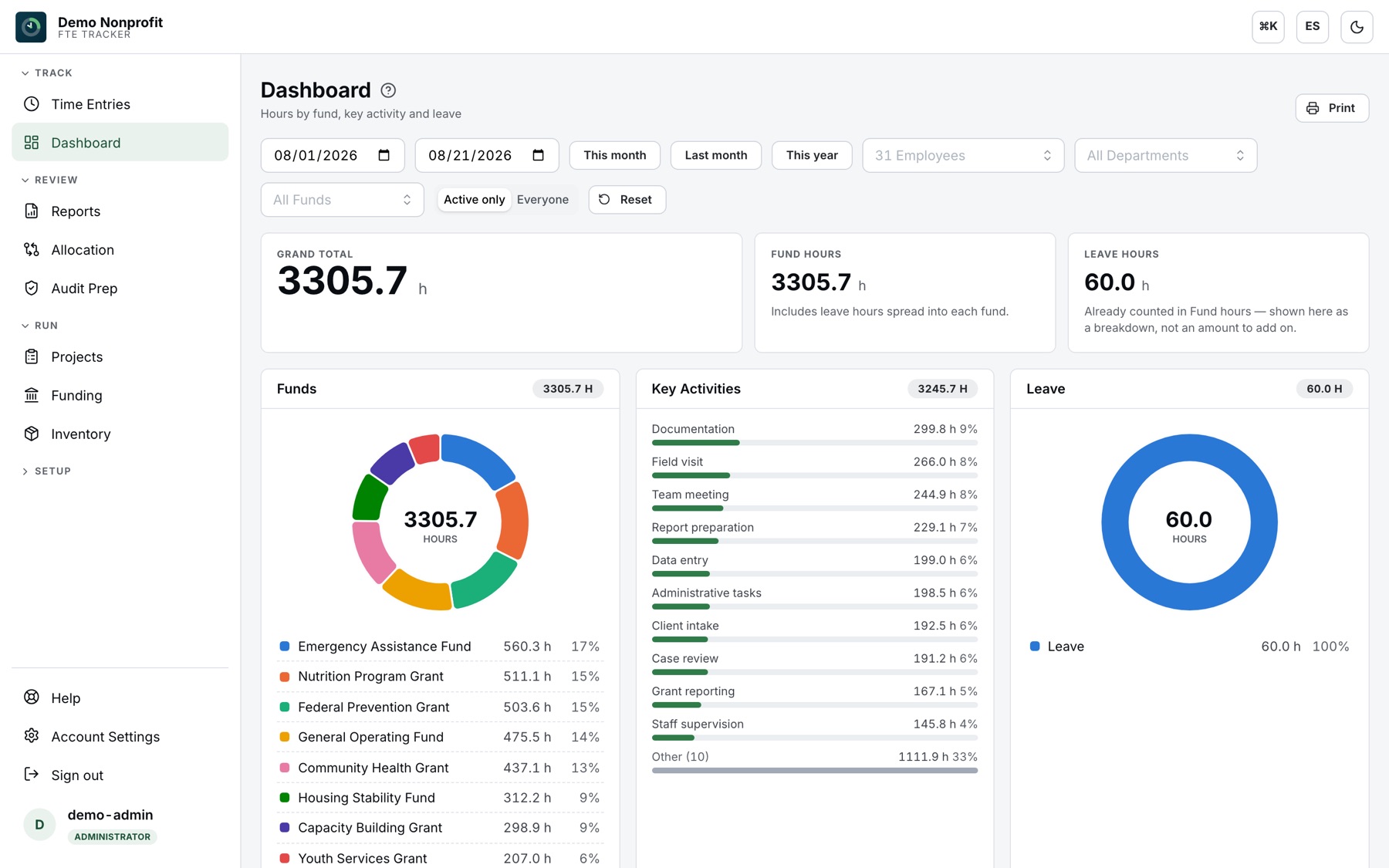
Hours by grant, activity and leave, with filters for date range, employee, department and fund.
Allocation over time
Target vs. actual per employee over any date range, with a full history of allocation and rate changes.
Reports & exports
Filtered reports with totals, CSV for payroll, print views, and one-click mass PDF export — one PDF per employee, zipped.
Roles built in
Administrators, managers, advanced and basic users, plus read-only report logins for the groups you serve.
Grant-funded inventory
Fixed assets funded by several grants at once, with straight-line depreciation tracked separately for each funder.
Donations & acknowledgments
Donation tracking with IRS $250 written-acknowledgment follow-up built in.
White-label branding
Your logo, your colors, your subdomain — each organization gets its own branded workspace.
Imports & migration
CSV imports for people and hours, and battle-tested migration from legacy time trackers.
Run with confidence
Built for organizations that answer to funders

Two-factor sign-in
Opt-in TOTP two-factor authentication with single-use backup codes, per person.
Roles that only restrict
Admins, managers, advanced and basic users — plus per-module access roles that can narrow, never widen, what a person sees.
Your branding, your language
White-label logo and colors per organization, and every screen available in English and Spanish.
Your data stays yours
CSV imports on the way in, CSV and PDF exports on the way out. Legacy tracker histories with 500,000+ entries have made the move.
Questions we get
Time and effort reporting, answered
What is time and effort reporting?
It is the record a federally funded organization keeps to show how each employee’s paid time was actually spent across the awards that fund it. Under the Uniform Guidance (2 CFR 200.430(i)), charges for personnel must be based on records that reflect the work performed, not on budget estimates alone. FTE Tracker collects those records as staff log their hours, so the report is a by-product of the tracking rather than a reconstruction at year end.
How does it handle one employee split across several grants?
Each person carries target percentages across the funds they are paid from, and every hour they log is charged to one of those funds. The allocation view then shows target versus actual per person per fund for any date range, so a split that has drifted away from the plan is visible while there is still time to correct it — rather than at closeout.
Can it replace paper or spreadsheet personnel activity reports?
That is what it is for. Staff log time in the app, and the fiscal office exports filtered reports with totals, CSV for payroll, print views, or one PDF per employee as a zip. Because the hours, the funds and the salary history all live in one place, the report and the labor cost behind it come from the same source.
How are labor costs calculated for a grant?
Each hour is priced at the pay rate that was in effect on the day it was worked, taken from the employee’s salary history, and hours with no salary history on file fall back to the current rate. A grant’s utilization is that labor plus its share of any inventory the grant helped pay for.
What happens to leave, holidays and paid time off?
Leave is tracked on its own license fund rather than charged directly to a grant. An organization can choose to report leave separately, spread it across the funds each employee actually worked, or spread it by their target percentages — the choice is a setting and it is applied when reports are read, so it can be changed and compared without rewriting any hours.
Is it available in Spanish?
Yes. Every screen is available in English and Spanish, and each person picks their own language — the same organization can have staff working in either. Reports and exports follow the language of whoever runs them.

Ready to log time that reports itself?
Sign in to your organization's workspace, or talk to us about setting one up.